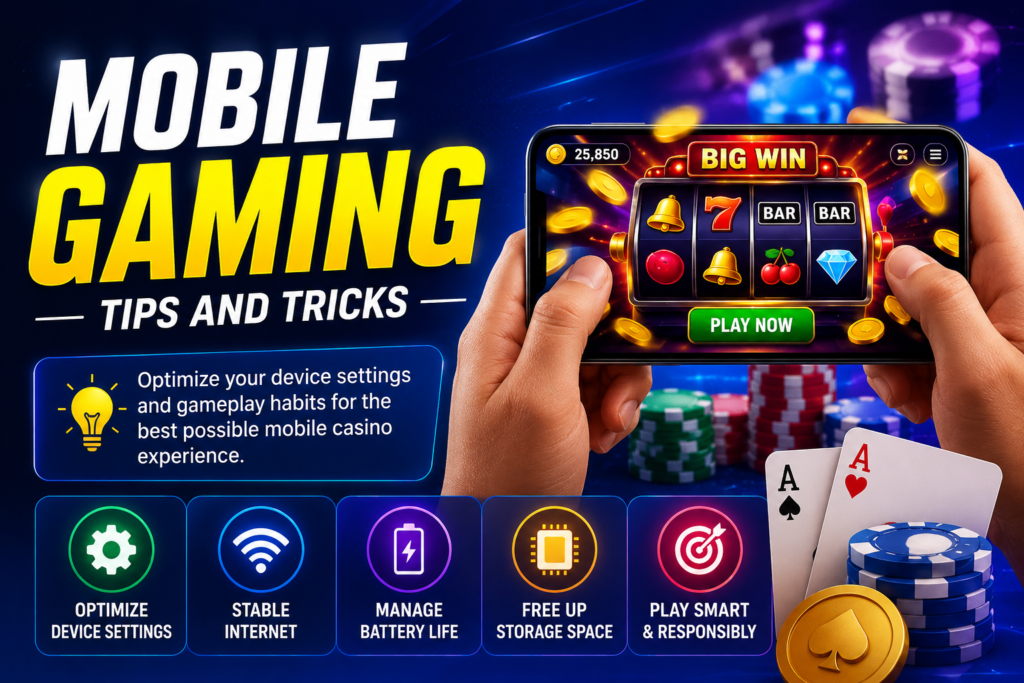
Mobile gaming continues to grow as more players prefer entertainment directly on their smartphones and tablets. Whether you enjoy casual games, card games, slots, or mobile casino platforms, your overall experience depends on more than just the app you use.
Device settings, internet quality, battery performance, and gaming habits all play a major role in gameplay quality.
This guide covers practical mobile gaming tips and tricks to help you improve performance, reduce interruptions, and create a smoother mobile casino experience.
Why Mobile Gaming Optimization Matters
Many users focus only on downloading the latest app version but overlook device optimization.
A poorly optimized device can lead to:
- Slow loading speeds
- Game lag
- Battery drain
- App crashes
- Overheating problems
- Connection interruptions
Even a powerful gaming app may struggle if your device settings are not configured properly.
Making a few adjustments can improve gameplay stability and overall usability.
Choose the Right Device Settings
Your smartphone settings can directly affect gaming performance.
Optimizing your device does not always require expensive hardware upgrades. In many cases, small changes can make a noticeable difference.
Enable Performance Mode
Many Android smartphones include built-in performance or gaming modes.
These settings often help by:
- Allocating more system resources to games
- Reducing background activity
- Improving frame stability
- Limiting interruptions
If your phone includes a gaming mode, testing it during gameplay can help improve performance.
Reduce Background Applications
Running too many apps at the same time consumes memory and processing power.
Before starting a gaming session:
- Close unused applications.
- Stop unnecessary background services.
- Free up available RAM when possible.
This simple habit often improves loading speed and responsiveness.
Keep Software Updated
Updated operating systems frequently include:
- Security improvements
- Performance enhancements
- Bug fixes
- Device optimization updates
Regular software updates can improve compatibility with newer gaming apps.
Optimize Your Internet Connection
A stable internet connection is one of the most important factors in mobile gaming.
Connection instability can cause delays, freezes, or unexpected disconnections.
Use Reliable Wi-Fi When Possible
Wi-Fi often provides more stable performance than weaker mobile networks.
For smoother gameplay:
- Stay near the router
- Use strong signal coverage
- Reduce heavy network activity during sessions
Reliable connectivity helps maintain consistent performance.
Monitor Mobile Data Strength
If you use mobile data, check your network quality before starting.
Weak signals may lead to:
- Slow loading screens
- Session interruptions
- Delayed responses
Switching to a stronger network location can sometimes solve these issues.
Avoid Network Congestion
Multiple devices sharing the same internet connection can reduce speed.
Try to minimize:
- Large downloads
- Video streaming
- Simultaneous heavy internet usage
Lower network traffic can improve gaming stability.
Improve Battery Performance During Gaming
Battery life plays an important role in long gaming sessions.
High-performance apps often use significant device resources.
Adjust Screen Brightness
Maximum brightness drains battery faster.
Lowering brightness slightly can:
- Extend battery life
- Reduce device heat
- Improve long-session comfort
Balance visibility with power efficiency.
Use Battery Optimization Wisely
Some battery-saving modes help extend usage time.
However, aggressive battery restrictions may reduce game performance.
Testing different battery settings can help you find the right balance between performance and efficiency.
Keep Your Device Charged
Starting sessions with low battery levels may reduce performance on some devices.
Keeping adequate charge available helps maintain smoother gameplay.
Manage Storage Space Effectively
Limited storage can negatively affect gaming performance.
Devices with crowded storage often experience slower operation.
Clear Unnecessary Files
Removing unused content helps free up system resources.
Consider deleting:
- Old downloads
- Duplicate files
- Unused screenshots
- Unnecessary applications
Storage cleanup can improve overall responsiveness.
Use Lightweight App Versions
Some gaming platforms offer optimized versions for lower-storage devices.
Lightweight apps may provide:
- Faster installation
- Lower storage usage
- Better compatibility with budget smartphones
This can be useful for older devices.
Monitor Available Space Regularly
Keeping available storage under control helps avoid performance slowdowns.
Periodic cleanup supports smoother device operation.
Develop Better Mobile Gaming Habits
Good gameplay habits matter just as much as device optimization.
Healthy routines can improve focus, comfort, and overall enjoyment.
Take Regular Breaks
Extended gaming sessions may lead to fatigue and reduced concentration.
Short breaks help:
- Reduce eye strain
- Improve focus
- Prevent burnout
- Support healthier usage habits
Balanced gaming sessions often produce a better experience.
Play in a Comfortable Environment
Your surroundings can influence concentration.
Choose a setup with:
- Comfortable seating
- Adequate lighting
- Minimal distractions
- Stable internet access
A better environment supports smoother sessions.
Avoid Multitasking During Gameplay
Switching repeatedly between apps can create interruptions and reduce focus.
Giving full attention to your session often leads to a more stable experience.
Learn the Platform Before Playing
Many players rush into gameplay without exploring platform features.
Understanding how an app works can improve navigation and confidence.
Explore the Interface
Spend time learning where key sections are located.
Useful areas may include:
- Account settings
- Game categories
- Help center
- Activity history
- Rewards section
Knowing the layout reduces confusion later.
Read Game Rules Carefully
Different games often operate differently.
Before participating, review:
- Instructions
- Rules pages
- Feature descriptions
- Information panels
Learning the basics can improve decision-making.
Manage Your Budget Responsibly
Financial planning remains important in any mobile casino environment.
Clear spending habits support healthier long-term use.
Set Personal Limits
Before starting, decide:
- Session budget
- Spending boundaries
- Time expectations
Defined limits help maintain control.
Track Activity Patterns
Monitoring your activity creates greater awareness.
You may choose to track:
- Session length
- Deposits
- Spending habits
- Usage frequency
Tracking behavior can support more responsible gaming decisions.
Avoid Emotional Decisions
Frustration, fatigue, or impulsive choices can affect judgment.
Maintaining a calm approach often leads to better decision-making.
Common Mobile Gaming Mistakes to Avoid
Many users experience preventable issues because of common mistakes.
Recognizing them early can improve your overall experience.
Ignoring Device Maintenance
Skipping updates, storage cleanup, or system checks can reduce performance.
Basic maintenance supports smoother gaming.
Downloading from Untrusted Sources
Always use reliable download sources whenever possible.
Unknown files may create:
- Security concerns
- Compatibility problems
- Installation errors
Safety should remain a priority.
Playing on Weak Connections
Unstable internet often creates unnecessary frustration.
Testing your connection before beginning a session can help reduce problems.
Advanced Tips for Better Mobile Performance
Once you understand the basics, you can explore additional optimization methods.
Restart Your Device Regularly
A simple restart can:
- Refresh memory usage
- Close hidden background tasks
- Improve short-term performance
Many users underestimate how effective this can be.
Monitor Device Temperature
Heavy gaming may increase heat levels.
Excessive heat can affect:
- Battery efficiency
- Processing performance
- Device comfort
Allowing your phone to cool periodically supports better stability.
Use Compatible Accessories
Gaming accessories can improve comfort for longer sessions.
Some users prefer:
- Cooling attachments
- Gaming controllers
- Phone stands
- Wireless earbuds
Accessories are optional but may improve convenience.
Responsible Mobile Gaming Practices
Mobile gaming should remain enjoyable and balanced.
Healthy habits support a better overall experience.
Helpful practices include:
- Setting time limits
- Taking regular breaks
- Managing budgets carefully
- Avoiding impulsive behavior
- Maintaining balance with daily activities
Responsible use contributes to long-term enjoyment.
Final Thoughts
Improving your mobile casino experience does not always require a new device or expensive upgrades.
Simple adjustments to device settings, internet quality, storage management, battery optimization, and gameplay habits can create a smoother and more enjoyable gaming environment.
By applying these practical mobile gaming tips and tricks, you can reduce interruptions, improve performance, and create a more stable mobile gaming setup.
Focus on gradual improvements, maintain healthy gaming habits, and optimize your device regularly for the best possible experience.